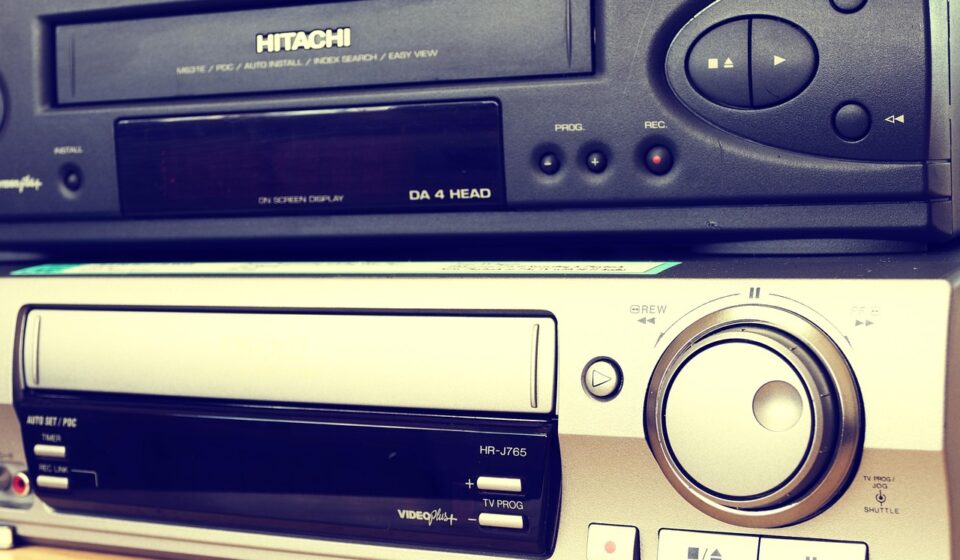
Understanding VCR to VCR Transfer in 2026
For anyone looking to safeguard cherished memories captured on VHS tape, the classic method of VCR to VCR transfer remains a viable, albeit increasingly niche, option as of May 2026. This technique allows you to create direct copies of your video cassettes using two VCR units, preserving them from the inevitable degradation of aging magnetic tape.
Last updated: May 5, 2026
Key Takeaways
- Direct copying via VCR to VCR is achievable using two machines and standard AV cables.
- Quality degrades with each copy due to analog signal limitations and tape wear.
- Proper setup involves connecting the output of the source VCR to the input of the recording VCR.
- Consider professional digitization services as a more reliable long-term archiving solution.
- Ensure both VCRs are in good working order before beginning the transfer process.
While modern digital solutions offer superior quality and longevity, the VCR to VCR method offers a tangible, hands-on approach for those who own the necessary equipment. This guide will walk you through the process, its limitations, and best practices for successful home video archiving in 2026.
Why Copy Your VHS Tapes? The Value of Preservation
The primary driver for VCR to VCR copying in 2026 is the desire to preserve memories. VHS tapes, made of magnetic tape within a plastic casing, are susceptible to physical damage, magnetic degradation, and playback issues over time. A single VHS tape can degrade significantly after 20-30 years of storage, with picture and sound quality diminishing noticeably.
These tapes often hold irreplaceable moments: family weddings, childhood birthdays, holiday gatherings, and significant life events. As VCRs become rarer and the technology itself ages, the risk of losing access to these recordings increases. Copying them onto a new tape, or ideally, digitizing them, is a proactive step to ensure these memories aren’t lost forever.
From a different angle, the resurgence of retro technology and media has also sparked renewed interest in analog formats like VHS. Some enthusiasts appreciate the distinct aesthetic and experience of watching and handling these tapes, making VCR to VCR copying a way to maintain their collection in a playable state.
Understanding the VCR to VCR Transfer Process
The core principle of VCR to VCR transfer is simple: you use one VCR to play a tape (the source) and another VCR to record that playback onto a blank tape (the destination). This is an analog process, meaning the signal is copied as it’s, with no digital enhancement or correction applied. What this means in practice is that any flaws present in the original recording or the playback VCR will be replicated on the copy.
Practically speaking, this is similar to making a photocopy of a document; the copy reflects the original, including any smudges or tears. The quality of the copy is directly dependent on the quality of the source tape, the playback capabilities of the source VCR, and the recording capabilities of the destination VCR.
The process is relatively straightforward but requires careful connection of the devices. It’s a line-by-line copy, meaning the video and audio signals are transferred in real-time as they are played back.
Equipment Needed for VCR to VCR Copying
To perform a VCR to VCR transfer, you’ll need a few key items:
- Two VCR Units: One will serve as the player (source), and the other as the recorder (destination). Ideally, both should be in good working condition, with clean playback heads and functional tracking controls.
- Blank VHS Tapes: You’ll need a blank tape for each video you wish to copy. It’s advisable to use new or high-quality used tapes that have been erased.
- Audio/Video Cables: Standard RCA cables (typically yellow for video, red and white for audio) are essential. You might also use S-Video cables for a slightly better video quality if both VCRs support it, though RCA is most common.
- Power Outlets: Sufficient power sources for both VCR units.
Having a VCR with a built-in TBC (Time Base Corrector) for playback can improve stability, but it’s not strictly necessary for basic home copying. Similarly, a VCR with good recording quality for the destination unit is beneficial.
Step-by-Step Guide to VCR to VCR Transfer
Follow these steps carefully to create your VHS copies:
- Connect the VCRs: Take your RCA cables. Connect the OUTPUT jacks (usually labeled ‘Line Out’ or ‘AV Out’) on the source VCR to the INPUT jacks (usually labeled ‘Line In’ or ‘AV In’) on the destination VCR. Ensure the yellow cable connects to yellow jacks, red to red, and white to white.
- Power On and Test Connections: Turn on both VCRs. Insert a test tape into the source VCR and a blank tape into the destination VCR.
- Prepare the Source VCR: Insert the original VHS tape you want to copy into the source VCR. Rewind it to the beginning.
- Prepare the Destination VCR: Insert a blank VHS tape into the destination VCR. Rewind it to the beginning. Ensure it’s set to the correct recording speed (usually SP for best quality, though LP or EP allow for longer recordings at lower quality).
- Initiate Recording: Press the ‘Record’ button on the destination VCR first. Immediately after, press ‘Play’ on the source VCR. This ensures you capture the entire tape from the very start.
- Monitor the Transfer: Watch the playback on the destination VCR’s connected TV (or if possible, on the destination VCR’s own display/output). Ensure the recording is happening correctly and the picture/sound quality is acceptable. Adjust tracking on the source VCR if the picture is unstable.
- End the Recording: When the source tape finishes playing, press ‘Stop’ on the source VCR, then immediately press ‘Stop’ on the destination VCR.
- Review the Copy: Rewind the newly recorded tape on the destination VCR and play it back to check the quality and ensure the entire content was captured.
If you are copying multiple tapes, repeat the process for each one. For longer tapes, ensure your blank VHS has sufficient recording time (typically T-120 tapes offer 2 hours on SP mode).
Understanding Quality Degradation: The Lossy Nature of Analog Copying
it’s crucial to understand that VCR to VCR transfer is a lossy process. Each time you copy a VHS tape, the quality of the video and audio signal diminishes. This is inherent to analog technology. Think of it like making a photocopy of a photocopy – the details get fuzzier, colors might become less vibrant, and audio can develop more hiss.
According to various technical analyses of analog video transfer, each generation of copying can result in a noticeable reduction in resolution and signal-to-noise ratio. While the exact percentage of degradation varies, it’s generally accepted that the first copy is usually acceptable for home viewing, but subsequent copies (copying the copy) become progressively worse.
What this means in practice is that if your original tape is already in fair condition, the copied version might be only marginally acceptable. If the original is in excellent condition, the first copy should be quite good, but it will never perfectly replicate the original. This is a fundamental limitation of the VCR to VCR method.
Alternatives to VCR to VCR Transfer in 2026
Given the quality degradation inherent in analog copying and the increasing difficulty of finding working VCRs, many people in 2026 are opting for more modern solutions. These alternatives generally offer better quality, greater longevity, and easier access to your memories.
1. Professional Digitization Services:
This is often the most recommended route for serious archiving. Services like Legacybox, iMemories, or local video transfer shops have specialized equipment and expertise to transfer VHS tapes to digital formats (like MP4 files or DVDs). While it incurs a cost, typically ranging from $20 to $50 per tape depending on the service and duration, it offers the highest quality and professional archiving.
2. DIY Digitization with a Capture Device:
You can purchase a video capture device (often a USB dongle) that connects to your VCR’s output and your computer’s USB port. Software on your computer then records the analog signal and converts it into a digital file. Devices like the Elgato Video Capture or Roxio Easy VHS to DVD are popular options. This method offers good quality and gives you digital files you can edit, share, and store easily. Prices for these devices typically range from $50 to $150 as of May 2026.
3. Transferring to DVD Recorder:
Some people use a DVD recorder, which acts as the destination device instead of a second VCR. You connect the source VCR’s output to the DVD recorder’s input and record the VHS content onto a blank DVD. This bypasses the VCR-to-VCR copy process but still involves analog-to-digital conversion at the DVD recorder, which can also introduce some quality loss, though generally less than VCR-to-VCR.
Each of these methods bypasses the generational loss associated with direct VCR to VCR copying and results in a more stable, accessible format for your precious home videos.
Maintaining Your VCRs for Optimal Transfer Quality
The condition of your VCRs significantly impacts the quality of the transfer. Even for a simple VCR to VCR copy, maintaining your equipment is key.
1. Clean the Heads: Over time, VCR heads accumulate dust and magnetic residue, leading to fuzzy or distorted playback and recording. Use a VCR head cleaning tape (available online for around $10-$20) or, for a more thorough clean, carefully use isopropyl alcohol and a lint-free swab on the heads themselves (ensure the VCR is unplugged and heads are dry before use). A clean head is essential for a clear signal.
2. Check Belts and Mechanisms: Older VCRs can suffer from stretched or broken rubber belts, affecting tape loading and playback speed. If your VCR is eating tapes or playing them too fast/slow, it might be a mechanical issue requiring professional repair or replacement.
3. Test Tapes: Before committing to copying important tapes, test your setup with a non-critical VHS tape. Vcr to vcr allows you to adjust tracking and confirm the recording process works as expected without risking valuable content.
4. Proper Storage: Store your VCRs in a cool, dry place away from magnetic fields (like speakers or other electronics) to prevent further damage to the internal components and the magnetic heads.
According to the Library of Congress’s guidelines for audiovisual preservation, magnetic media like VHS tapes and the players used for them require careful handling and maintenance to prolong their lifespan and usability.
Troubleshooting Common VCR to VCR Transfer Issues
Despite careful setup, you might encounter problems. Here are common issues and how to address them:
- No Picture or Sound: Double-check your RCA cable connections. Ensure the source VCR is set to ‘Line Out’ or ‘AV Out’ and the destination VCR is set to ‘Line In’ or ‘AV In’. Verify that both VCRs are powered on and the source tape is playing.
- Fuzzy or Unstable Picture: This is often due to dirty playback heads on the source VCR or poor tracking. Use a head cleaning tape. On the source VCR, use the ‘Tracking’ control buttons (often labeled +/- or with a dial) to stabilize the image.
- Recording is Distorted or Hiss-Filled: This could be due to dirty recording heads on the destination VCR, a poor-quality blank tape, or the recording level being too low or too high. Clean the recording VCR’s heads and try a different blank tape.
- Tape Not Recording Length: Ensure the destination VCR is set to the appropriate recording speed (SP for maximum quality, LP/EP for longer duration). Check if the blank tape is fully erased and has enough recording time.
- Copying is Slower than Real-Time: This is usually a sign of mechanical issues with one or both VCRs, or incorrect speed settings. Ensure both are set to standard playback/record speed (not slow-motion record).
Practically speaking, if the source tape itself is damaged or heavily degraded, no amount of VCR maintenance will fully restore it. In such cases, professional restoration services might be the only option.
The Cost of VCR to VCR Transfer vs. Alternatives
One of the perceived benefits of VCR to VCR transfer is its low cost, assuming you already own the equipment. The primary expense is the blank VHS tapes, which can be purchased in packs for around $2-$5 each, depending on quality and quantity. If you need to buy a second-hand VCR, prices can range from $20 to $100, though finding reliable units is becoming harder in 2026.
For comparison:
- VCR to VCR: Cost: $0 (if you own equipment) + cost of blank tapes ($2-$5 each). Time: Real-time playback (e.g., 2 hours per tape). Quality: Decreases with each copy.
- DIY Digital Transfer (USB Capture Device): Cost: $50-$150 for the device + cost of blank media (DVDs $0.50-$1) or digital storage. Time: Real-time playback, plus computer processing time. Quality: Good, retains original quality but can be complex to set up.
- Professional Digitization Service: Cost: $20-$50+ per tape. Time: Weeks or months, depending on service turnaround. Quality: Excellent, professionally managed.
What this means in practice is that while VCR to VCR is the cheapest upfront option if you have the gear, it’s also the least efficient and lowest quality for long-term archiving. The time investment for multiple tapes can be substantial.
The Future of Analog Video Preservation
As of May 2026, the trend is undeniably towards digital archiving. Magnetic tape technology, while foundational, is inherently fragile and prone to decay. The global push for digital conversion of analog media, championed by institutions like the National Archives and Records Administration (NARA), highlights the need for formats that are stable, accessible, and easily backed up.
While VCR to VCR copying serves as a stopgap or a personal project for enthusiasts, it’s not a sustainable long-term archiving solution. The technical expertise required to maintain VCRs, the scarcity of replacement parts, and the inherent quality loss make it a method best suited for immediate needs rather than generational preservation.
For truly important family histories, investing in professional digitization or strong DIY methods is advisable. These approaches ensure that future generations can access these memories without the limitations and risks associated with analog formats.
Common Mistakes to Avoid in VCR to VCR Transfer
Making a mistake during the transfer process can result in lost footage or poor-quality copies. Be aware of these common pitfalls:
- Using a worn-out source tape: If the original tape is already damaged or has been played hundreds of times, the copy will reflect that poor quality.
- Using a low-quality blank tape: Cheap, old, or previously used blank tapes can result in noisy recordings or outright failure.
- Incorrect cable connections: Connecting output to output or input to input will prevent signal transfer. Always connect output to input.
- Not starting recording before playback: Missing the beginning of the tape is a common and frustrating error. Always hit record on the destination VCR first.
- Overwriting important tapes: Ensure you are using a truly blank tape for recording, not one with old content you might have forgotten about. Double-check by playing the blank tape first.
- Ignoring tracking issues: A shaky or distorted picture on the source VCR will result in a shaky or distorted recording. Adjust tracking before starting the copy.
What this means in practice is that preparation and careful execution are paramount. It’s not a process you can afford to rush if the content is valuable.
Expert Tips for Better VCR Copying
While VCR to VCR transfer inherently involves quality loss, a few expert tips can help maximize the output:
- Use the SP (Standard Play) speed: Always record onto the blank VHS tape using the SP speed setting on the destination VCR. Vcr to vcr offers the best picture and sound quality, even though it means you can fit less content on a single tape (typically 2 hours on a T-120).
- Clean Heads Religiously: Before each transfer session, ensure both VCRs have clean playback and recording heads. This is the single most impactful step for improving clarity and reducing noise.
- Test a Short Segment: Before committing to a full tape transfer, record a minute or two of footage and play it back to check quality. This saves time and blank tapes if there’s an issue.
- Use S-Video if Possible: If both your VCRs have S-Video output/input, use those cables instead of composite RCA for video. S-Video separates the luminance (brightness) and chrominance (color) signals, offering a slightly sharper and more accurate picture.
- Minimize External Interference: Ensure your setup is away from strong magnetic fields or sources of electrical interference that could affect the analog signal during transfer.
From a different angle, consider the source tape itself. If it’s a commercially produced movie tape, it might have Macrovision copy protection, which can prevent or degrade copies. This method is primarily for home-recorded tapes.
Frequently Asked Questions about VCR to VCR Transfer
Can I copy a VHS tape to another VHS tape using just two VCRs?
Yes, the VCR to VCR transfer method allows you to create direct copies of VHS tapes by connecting the output of a playback VCR to the input of a recording VCR and starting both devices simultaneously.
What cables do I need for VCR to VCR copying?
You will need standard RCA audio/video cables. These typically have yellow connectors for video, and red and white connectors for stereo audio. If both VCRs support it, S-Video cables can offer slightly improved video quality.
Will the quality of the copied tape be as good as the original?
No, the quality will likely be lower. VCR to VCR transfer is an analog process, meaning signal degradation occurs with each copy. This is known as generational loss.
How long does VCR to VCR transfer take?
The transfer happens in real-time. If your VHS tape is 2 hours long, the recording process will take approximately 2 hours, plus time for setup and review.
What should I do if my VCR is eating tapes?
If a VCR is eating tapes, it likely has a mechanical issue, such as a worn-out belt or a faulty loading mechanism. It’s advisable not to use that VCR for playback or recording, and consider professional repair or replacement.
Are there alternatives to VCR to VCR copying?
Yes, many alternatives exist in 2026, including using video capture devices to digitize tapes on a computer, employing DVD recorders, or sending tapes to professional digitization services.
Conclusion: Is VCR to VCR Transfer Right for You in 2026?
The VCR to VCR transfer method, while a classic technique, presents significant limitations for long-term archiving in 2026. Its primary advantages lie in its low cost if you already own the equipment and its straightforward, hands-on nature. However, the inevitable quality degradation, the difficulty in finding reliable VCRs, and the time commitment make it less ideal for preserving irreplaceable memories compared to modern digital solutions.
Practically speaking, if you need to make a quick copy of a single tape and have two functioning VCRs, it’s a feasible option. For extensive collections or critical family histories, investing in professional digitization services or a DIY digital transfer setup will yield far superior, more sustainable results.
Last reviewed: May 2026. Information current as of publication; pricing and product details may change.
Editorial Note: This article was researched and written by the Novel Tech Services editorial team. We fact-check our content and update it regularly. For questions or corrections, contact us.